Introduction
Introducing Authentication (QR scan), one of Paotang Authentication’s services. This feature enables your users to securely log in to your website with just a QR scan.
To use Paotang Authentication, users can simply scan a generated QR code using either their mobile camera or Paotang’s in-app camera. Once this step is completed, they can provide consent for Paotang to send their user information to your website for login.
Authentication (QR Scan)
 |  |
 |
 |
|---|---|---|---|
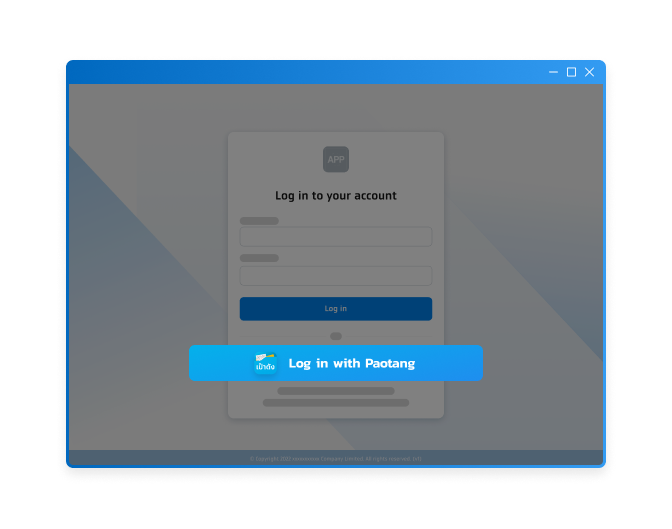 |
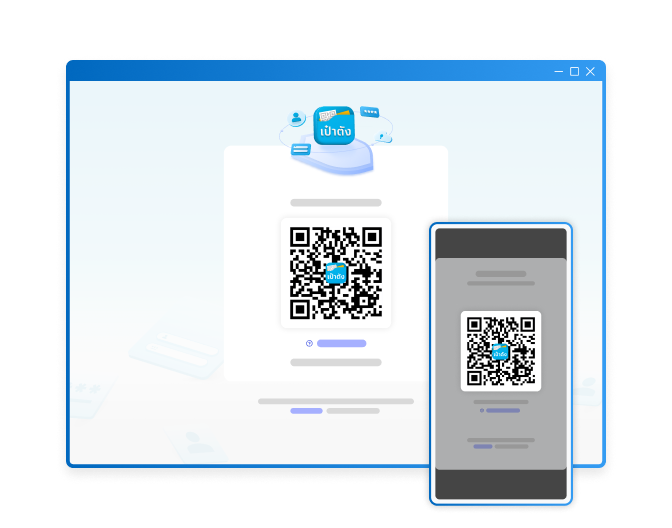 |
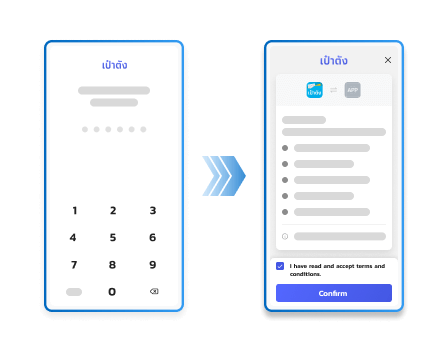 |
 |
| Select ‘Log in with Paotang’ | Scan the QR code How to scan |
Navigate from your website to Paotang application and provide consent | Log in successfully and return to your website |
How to Scan
Select your preferred scanning method below.
Method 1: Using mobile camera
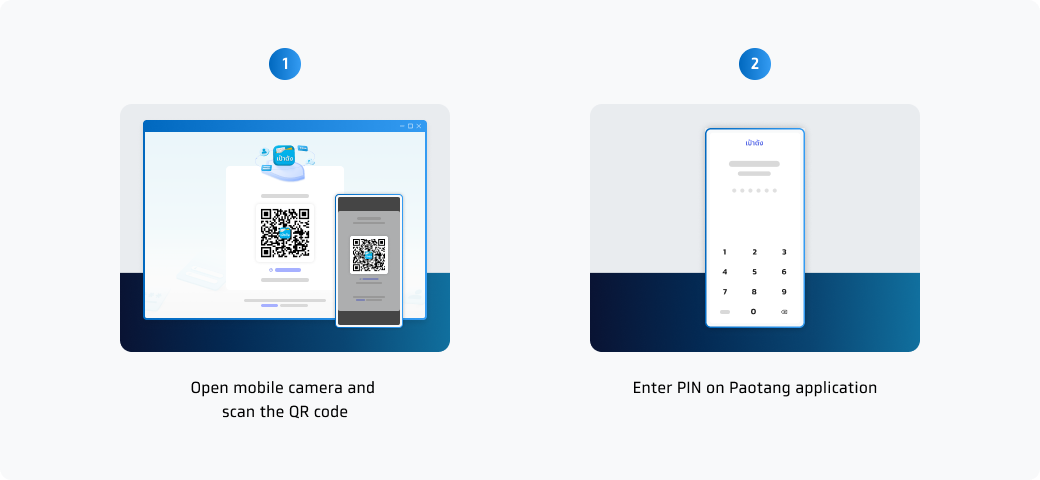
Method 2: Using Paotang’s in-app camera
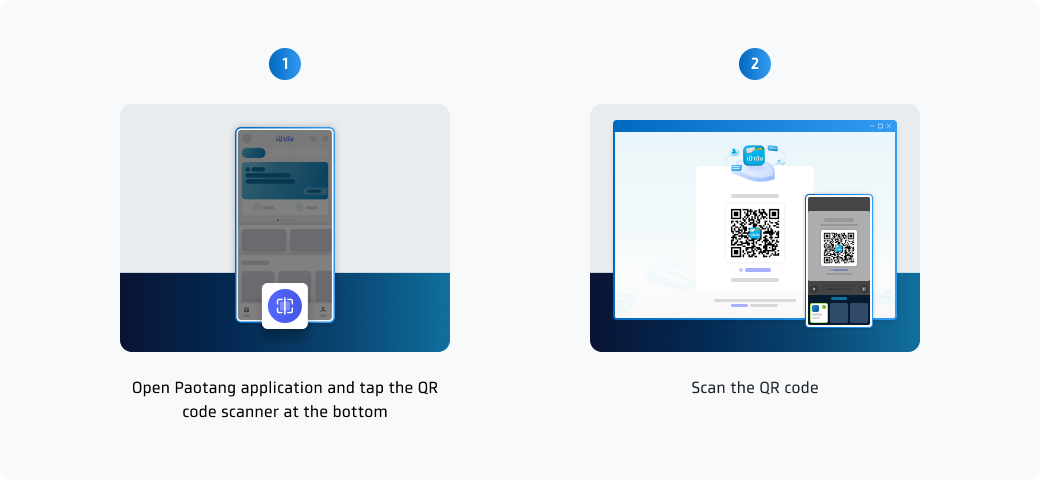
Method 3: Using Paotang integration service
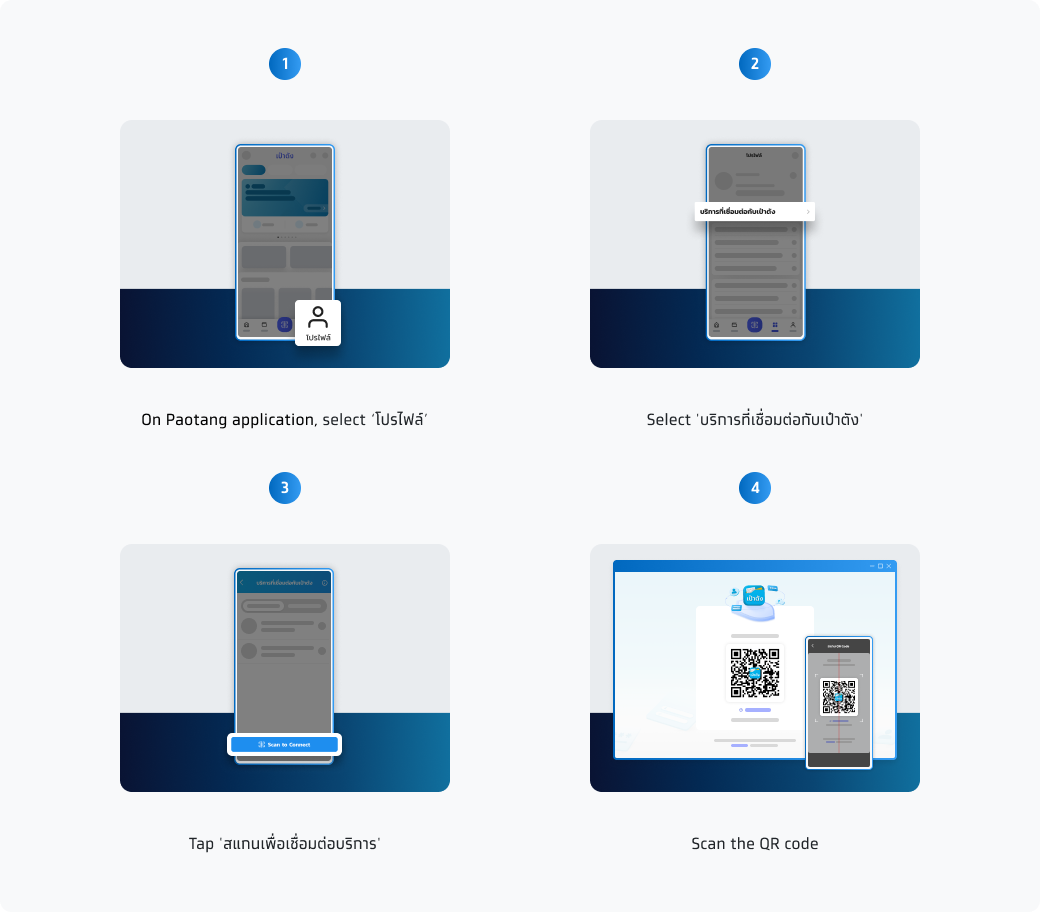
What can we do?
|
Log in with Paotang Easily log in using a QR scan without entering username or password. With verified user data, the login process to your website is reduced and simpler. |

|
|
Register Shorten your registration process by prepopulating all fields on your website with data from Paotang. |

|
|
Update data Obtain the most up-to-date data from Paotang to accurately update your users' information. |

|
Why us?
 More than 40 million users on Paotang With more than 40 million Paotang application users, your website and application can access various users' information on Paotang application at your fingertips. |
 Comply with regulation standards (ETDA License) Our authentication service is officially licensed by ETDA (Electronic Transactions Development Agency), ensuring compliance with the highest standards for electronic transactions and digital identity verification. |
 Comply with PDPA regulations Privacy is our top priority. We comply with PDPA regulations to build trust with our users and prevent any unlikely events from occurring. |
 Various data scopes for multiple use cases We offer you our extensive data scopes. You can find suitable and effective solutions for your website and application on Paotang. |